What conditional logic is
Conditional logic means that what a visitor sees next depends on their answers. Forms have two tools for this.
- Paths. After a step, a rule decides which step comes next. "Business" leads to the business questions, "Personal" to others.
- Show fields. Within a step, a field only appears for a matching answer, such as the text field after "Other".
The result is one form that serves several audiences and still feels short, because nobody sees questions that do not concern them.
When logic is worth it
- Several audiences on one page, such as consumers and businesses.
- Several services with their own detail questions, for example bathroom, roof and heating.
- Follow-up questions only when an answer calls for them.
- Screening out enquiries that do not fit, with an honest ending of their own.
- Routing by value, such as sending large projects straight to booking.
A three-field form does not need logic. From two audiences or services on, it almost always pays off.
Plan the logic
- Start with the endings. List every outcome: enquiry, appointment, call-back, "not a fit".
- Find the deciding questions. Which two or three questions split the paths? They go first.
- Draw it. One box per step, one arrow per path. Every box needs a way in and a way out.
- Always an otherwise. For each step, decide where everyone goes when no rule applies.
Tip: keep paths shallow. Two levels with clear questions are easier to maintain than five levels of special cases.
Build it in WordPress
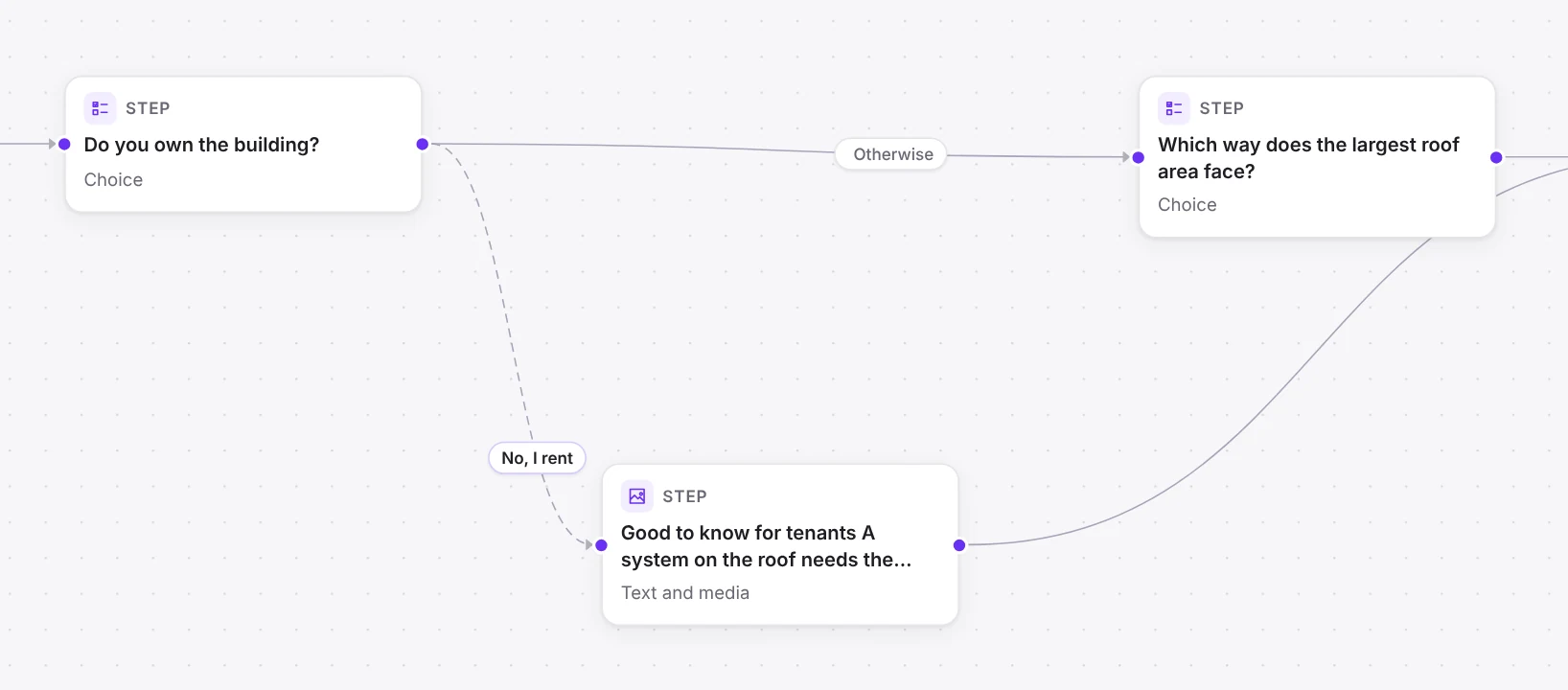
In Funnelforms you build the logic right on the canvas. Every step is a card, every path a line.
- By answer: In the Logic tab every answer of a choice or dropdown question gets its own target. Answers without their own path stay on "Like all others".
- Rules (if … then …): "If budget is at least 5,000, go to Appointment". Combine conditions with "all of these apply" or "one of these applies", and mixed cases with groups.
- Otherwise go to: the path for everyone else.
- Show this field: In a field's properties, choose the answer that makes it appear.
- Rules on calculations: paths by the result of a price calculator or a lead score.
In Funnelforms Free you branch by the selected answer of a choice or dropdown question, for paths and fields. Rules with AND and OR, numbers, text, dates and calculations are part of Pro.
Find errors and test
Logic errors are tricky because you rarely see them yourself: you know the right path. The logic check in the editor looks for:
- Dead ends: steps with no path onwards.
- Loops: paths visitors cannot get out of.
- Missing otherwise: visitors for whom no rule applies get stuck.
- Unreachable steps and rules that never fire, for instance because a path without a condition is checked first.
- Questions in the wrong order: a rule that checks an answer given only later.
Then click through every branch in the preview once, on desktop and mobile. On the server, the plugin walks the path again with the submitted answers, so no entry ends up on a path that does not exist.
Measure and improve
The statistics show per step how many visitors reach it and where they drop off. Pro adds the strongest paths. If one branch loses many visitors, check the question right before it first. If it is unclear, test a second version with an A/B test instead of rebuilding the whole path.
Frequently asked questions
Does Funnelforms Free support conditional logic?
Yes, by the selected answer of a choice or dropdown question, for paths and single fields. Rules with AND and OR and on numbers, text, dates and calculations are part of Pro.
What happens if no rule applies?
"Otherwise go to" takes over. If it is missing, the logic check warns you, because visitors would get stuck.
Can I branch on an answer from an earlier step?
Yes. Rules can check every field from this and earlier steps, except contact fields.