What Onepage is
Onepage (onepage.io) is a website builder from Germany. You build landing pages, event pages, portfolios and small business sites in the browser, with templates and an editor where you move sections around and edit text in place. Hosting is included, so you need neither WordPress nor a server.
Many projects are one long page with sections that tell the story in order. Higher plans also allow several pages and several websites.
A few terms you will come across:
- One-pager. A website whose content sits on a single page. The menu jumps to sections instead of subpages.
- Lazy loading. Images and videos load only when they scroll into view, so the page appears faster.
- Custom code. Your own HTML, CSS or JavaScript, for example for tracking or an embedded form.
Where Onepage is strong
- Quick start. Pick a template, swap text and images, publish. A first landing page often takes an afternoon.
- Clear structure. Ready-made sections for benefits, process, testimonials, pricing and contact help you build the page in a logical order.
- Mobile from the start. The layout adapts to phone, tablet and desktop, and the preview shows all three.
- Guided reading. On a single page, visitors read in the order you set and end at the call to action.
- No technical work. Hosting, SSL and updates are handled by the provider.
One page or several?
A single page and a site with many subpages do different jobs. The question is not which is better, but what your goal needs.
| One-pager | Site with subpages | |
|---|---|---|
| Good for | Landing page, campaign, event, portfolio, one offer | Several services, audiences or locations, shop, blog |
| Visitor journey | Linear, one story, one goal | Free, through menu and internal links |
| Search engines | One address for a few keywords | One page per topic and keyword |
| Upkeep | Little, everything in one place | More, but easier to extend |
Rule of thumb: one offer, one audience, one goal? A one-pager is enough. As soon as you want to be found for several topics, you need subpages or a guides section.
What Onepage costs in 2026
Onepage has a free plan and four paid tiers. This is how they appear on the provider's pricing page, billed monthly, as of November 2026:
| Plan | Per month | For |
|---|---|---|
| Free | €0 | Private projects, 1 site with up to 3 pages, Onepage branding |
| Essential | €19.90 | Own domain, up to 7 pages, no branding |
| Standard | €39.90 | Up to 2 sites with more pages |
| Advanced | €69.90 | Several sites, more marketing features |
| Expert | €179.90 | Agencies and large projects, several editors |
Annual billing is around 17 percent cheaper according to the provider. Limits for pages, sites and AI features change from time to time, so check the current pricing page before you buy.
Build a Onepage website in 7 steps
- Create an account and start a new project. The free plan is enough for a first draft.
- Pick a template that fits your industry and goal. You can change colours, fonts and sections later.
- Replace text and images. A clear headline says in one sentence what you offer and for whom.
- Add calls to action such as “Request a quote” or “Book a call”, at the top and after each key section.
- Check it on a phone. The preview shows a lot, your own phone shows more.
- Fill in the SEO basics: page title, description, meaningful headings, alt text for images.
- Publish and connect your own domain.
More enquiries from your one-pager
A beautiful page does not bring customers on its own. What counts is what happens at the end: does the visitor get in touch or leave? A plain contact form with name, email and message is too much of a hurdle for many and too little information for you.
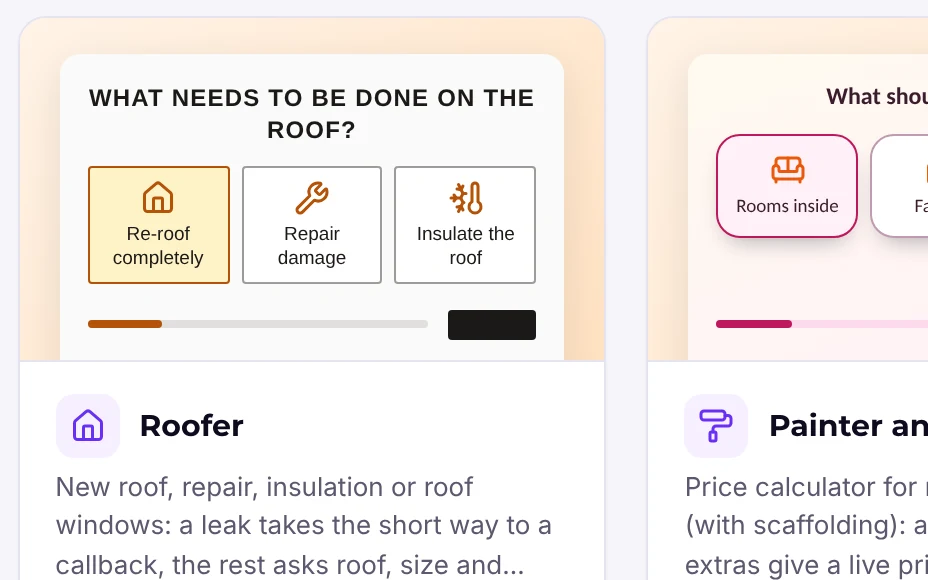
A multi-step form works better: easy picture choices first, then details, contact data last. The visitor is already invested when you ask for a phone number, and you know what it is about before the first call.
With Funnelforms Pro you build such a funnel in WordPress and embed it with a code snippet on sites outside WordPress too, including a one-pager, as long as your plan allows custom HTML. You decide which sites may run the code, and the height adjusts automatically. Enquiries land in your WordPress with a lead board, statistics per step and, if you like, straight in HubSpot, Pipedrive or your CRM via webhook.
Alternatively, every form gets its own address you can link from the one-pager, for example behind the “Request a quote” button. That works with Funnelforms Free as well.
Mobile optimisation: what matters most
Google ranks pages by their mobile version, and most visitors come from a phone. These points help most:
- Shrink images. Use WebP or compressed JPEGs, photos rarely above 200 KB.
- Few effects. Every animation costs load time. Aim for visible content in under three seconds.
- Big buttons. At least thumb-wide, the first call to action in the top third.
- Short paragraphs and subheadings that work when skimming.
- Forms with few fields per step. Choice tiles instead of typing where possible.
- Measure regularly with PageSpeed Insights and real numbers: how many visitors click the call to action, how many submit?
Limits and how to solve them
- Little space. Everything on one page quickly looks crowded. Fix: show only what matters, move details into expandable questions or a second page.
- Search engines. One address ranks for few terms. Fix: a clear heading structure and, if you want more search traffic, separate pages or guides per topic.
- Load time. Many large images and videos slow things down. Fix: compress, lazy loading, load videos on click.
- Orientation. Visitors get lost on long pages. Fix: a sticky menu with jump links.
- Less freedom than a CMS. Some templates limit the design, and there are no plugins as in WordPress. If you need many features, WordPress with a page builder is more flexible.
Alternatives to Onepage
Depending on your goal, other tools may fit better:
- WordPress with a page builder such as Elementor, Divi or the block editor: more freedom, your own data, but your own hosting. Our page builder comparison helps you choose.
- Funnel builders such as Heyflow or Perspective: for mobile funnels with many steps, hosted and paid monthly. See Heyflow alternative and Perspective alternative.
- Funnelforms in your WordPress: funnels, calculators and appointment booking as a plugin, with all data on your server. Pro starts at €23 a month billed annually, Free costs nothing and has no volume limit.
Frequently asked questions
Is Onepage free?
Yes, there is a permanent free plan for one site with up to three pages and Onepage branding. Your own domain without branding starts with the Essential plan at €19.90 a month (as of November 2026).
Can I embed a Funnelforms form in Onepage?
With Funnelforms Pro you can embed forms outside WordPress using a code snippet, provided your builder allows custom HTML. Without embedding, you can link to the form's own address, which also works with Free.
Is a one-page website bad for SEO?
Not bad, but limited. One address ranks for few keywords. That is enough for one offer with a clear audience; for many topics you need subpages or guides.