What a page builder is
A page builder is a WordPress plugin or theme that lets you assemble pages visually: sections, columns, text, images and buttons by drag and drop, without HTML, CSS or PHP. The benefits:
- Fast from draft to finished page, with templates and ready-made blocks.
- Independent of the theme when you design individual pages.
- What you see is what you get: changes show up instantly for desktop, tablet and phone.
A page builder does not replace a strategy, though. It is a tool. A clear goal per page and a good path to the enquiry matter more than the tool.
1. Elementor: the all-rounder with a huge ecosystem
Elementor is the most widely used WordPress page builder. You work right on the page, with many widgets, templates and third-party add-ons. The Theme Builder in Elementor Pro also lets you design header, footer, blog layouts and WooCommerce pages.
- Strengths: easy to learn, huge choice of templates and add-ons, popup builder and form widget in Pro, lots of tutorials.
- Weaknesses: heavy CSS and JavaScript on large pages, add-ons spread features across several plugins, little of the layout remains without Elementor.
- Price: core is free, Elementor Pro is an annual subscription by number of sites, from about $60 a year for one site (as of November 2026, discounts are frequent).
- Good for: beginners, marketing teams and agencies that need visible results quickly.
2. Beaver Builder: stable and maintainable
Beaver Builder looks plainer than Elementor or Divi but is known for its clean output. When you deactivate it, the content stays in the page as plain HTML, which makes switching easier. Agencies value multisite, white labelling and a well-documented developer API.
- Strengths: stable over years, lean output, few surprises with updates, good for many similar client sites.
- Weaknesses: fewer templates and effects, the theme builder (Beaver Themer) costs extra, no built-in A/B testing.
- Price: Lite version is free, paid licences are annual from about $89 to $99, agency packages cost considerably more (as of November 2026).
- Good for: agencies and companies that value maintainability over effects.
3. Divi: design and testing in one
Divi by Elegant Themes is a theme and builder in one. You design visually with global colours, fonts and templates, and test page variants right in the builder with Divi Leads. One licence covers unlimited sites, including client sites.
- Strengths: lots of design freedom, built-in split tests, lifetime licence available, large community.
- Weaknesses: steeper learning curve, load times suffer on heavily animated pages, older Divi pages are made of shortcodes and hard to move to another builder.
- Price: $89 a year or $249 once, each for unlimited sites; a Pro tier with AI and cloud costs more (as of November 2026).
- Good for: designers and freelancers with many projects who want design and testing from one source.
4. WPBakery: the classic in many themes
WPBakery, formerly Visual Composer, has been around for more than ten years and ships with many premium themes. You build in the back end or front end; pages consist of shortcodes with a clear structure.
- Strengths: works with almost any theme, full control over structure and custom CSS, no running costs.
- Weaknesses: the interface feels dated, shortcodes make moving harder, load time depends heavily on the theme.
- Price: one-time purchase per site including updates, no subscription; the vendor is currently adjusting the single-site price, so check it before buying.
- Good for: existing projects with themes that bundle WPBakery, and technically confident users.
5. Gutenberg: the WordPress block editor
Gutenberg has been the default WordPress editor since 2018 and has come a long way. With block themes and the site editor (full site editing) you can design entire websites without an extra builder. Extensions such as Kadence Blocks, Spectra, Stackable or GenerateBlocks add more layouts.
- Strengths: free and part of WordPress core, very lean output, fast load times, no risk of a plugin breaking on update.
- Weaknesses: demanding layouts take practice or block extensions, less creative freedom without CSS skills.
- Price: free; block extensions often have a free version and Pro licences.
- Good for: blogs, editorial teams and anyone who puts load time and future-proofing first.
All five at a glance
| Builder | Ease of use | Load time | Switching away | Pricing |
|---|---|---|---|---|
| Elementor | very easy | medium | hard | Free + annual |
| Beaver Builder | easy | good | easy | Lite + annual |
| Divi | medium | medium | hard | Annual or one-time, unlimited sites |
| WPBakery | medium | theme-dependent | hard | One-time per site |
| Gutenberg | medium | very good | very easy | free |
Other builders worth knowing: Bricks and Breakdance for developers and fast sites, Oxygen for full control over the code.
Which page builder suits you?
- Beginner with a clear idea: Elementor or Divi.
- Agency with many client sites: Beaver Builder, or Divi for its unlimited-site licence.
- Designer who wants to test: Divi.
- Existing theme with WPBakery: stay with it until a relaunch is due.
- Blog, editorial, SEO projects: Gutenberg with a lean block theme.
Planning just one focused page? Then also read our overview of Onepage.
Technical pitfalls and fixes
- Load time: a lean theme (such as Hello, Astra, GeneratePress or a block theme), images as WebP, a caching plugin, only the add-ons you actually use.
- Conflicts: install updates on a staging site first, use a child theme, keep builder and plugins up to date.
- Lock-in: if you may switch later, pick a builder with clean HTML output (Beaver Builder, Gutenberg) and keep key content such as copy and forms independent of the builder.
Turn the page into enquiries
A well-designed page is good; a page that brings enquiries is better. The form widgets of page builders are fine for a contact form. For multi-step enquiries with calculators, appointment booking and reporting you need a dedicated tool.
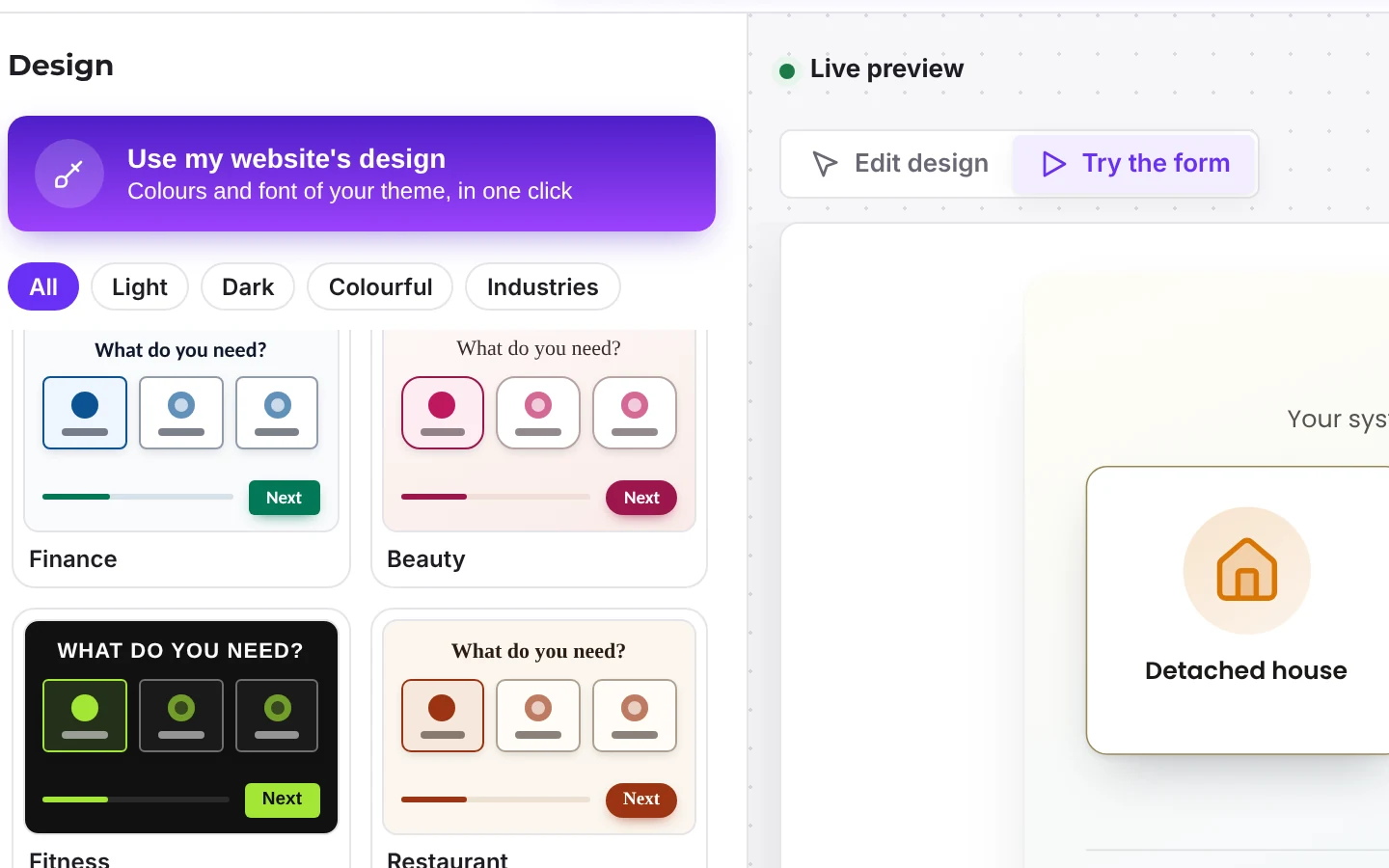
Funnelforms works with every one of these builders: as a block in the block editor with live preview, as a widget in Elementor and via shortcode in Divi, Beaver Builder, WPBakery and any other builder. The form script stays under 35 KB including styles and works with page caching and optimisation plugins. In Pro, Funnelforms can adopt the design of an existing website so the form matches the page.
Because the form does not live inside the builder, it survives a builder switch. Entries, statistics and integrations sit in the plugin, not in the layout.
What to do next
- Clarify goal and scope: a single landing page, a company site or a blog.
- Pick the builder that fits your goal and way of working, and use the free version or trial.
- Start with the home page or a landing page, from a template or from scratch.
- Add a form that qualifies enquiries, for example with Funnelforms Free or Pro.
- Measure, change one thing, measure again.
Frequently asked questions
Which WordPress page builder is best?
There is no single best one. Elementor is the easiest, Divi offers the most design with built-in testing, Beaver Builder is the most maintainable, Gutenberg is the fastest and free, WPBakery suits existing themes.
Do I need a page builder at all?
Not necessarily. With the block editor and a block theme, many websites can be built today without an extra builder. A page builder pays off if you want a lot of design control and have no CSS experience.
Does Funnelforms work with Elementor, Divi and others?
Yes. Funnelforms includes a block for the block editor and a widget for Elementor. In Divi, Beaver Builder, WPBakery and other builders you add the form via shortcode.