Why a contact form?
Many visitors will not call and do not want a chat. They can fill in a form whenever it suits them, and you receive the enquiry neatly by email instead of scattered across your inbox.
A good form asks for more than a name and a message: if people say right away what it is about, how big the project is and when it should be done, you can advise them faster and better.
What makes a good form
- Few questions per step. Three short steps beat one long page.
- Answers to click. Tiles with icons or images are faster than free text.
- Matches your design. The colours and fonts of your website, easy to read on a phone.
- Privacy sorted. Consent, captcha and tracking only when they are allowed.
- The enquiry arrives. An email to you, a confirmation to the visitor and a list of all entries in WordPress.
Step by step with Funnelforms Free
1. Install the plugin
Download Funnelforms Free and install it under Plugins in WordPress. Free needs no account and no licence key. It requires WordPress 6.5 and PHP 8.1. The setup assistant then takes you to your first form.
2. Build the form
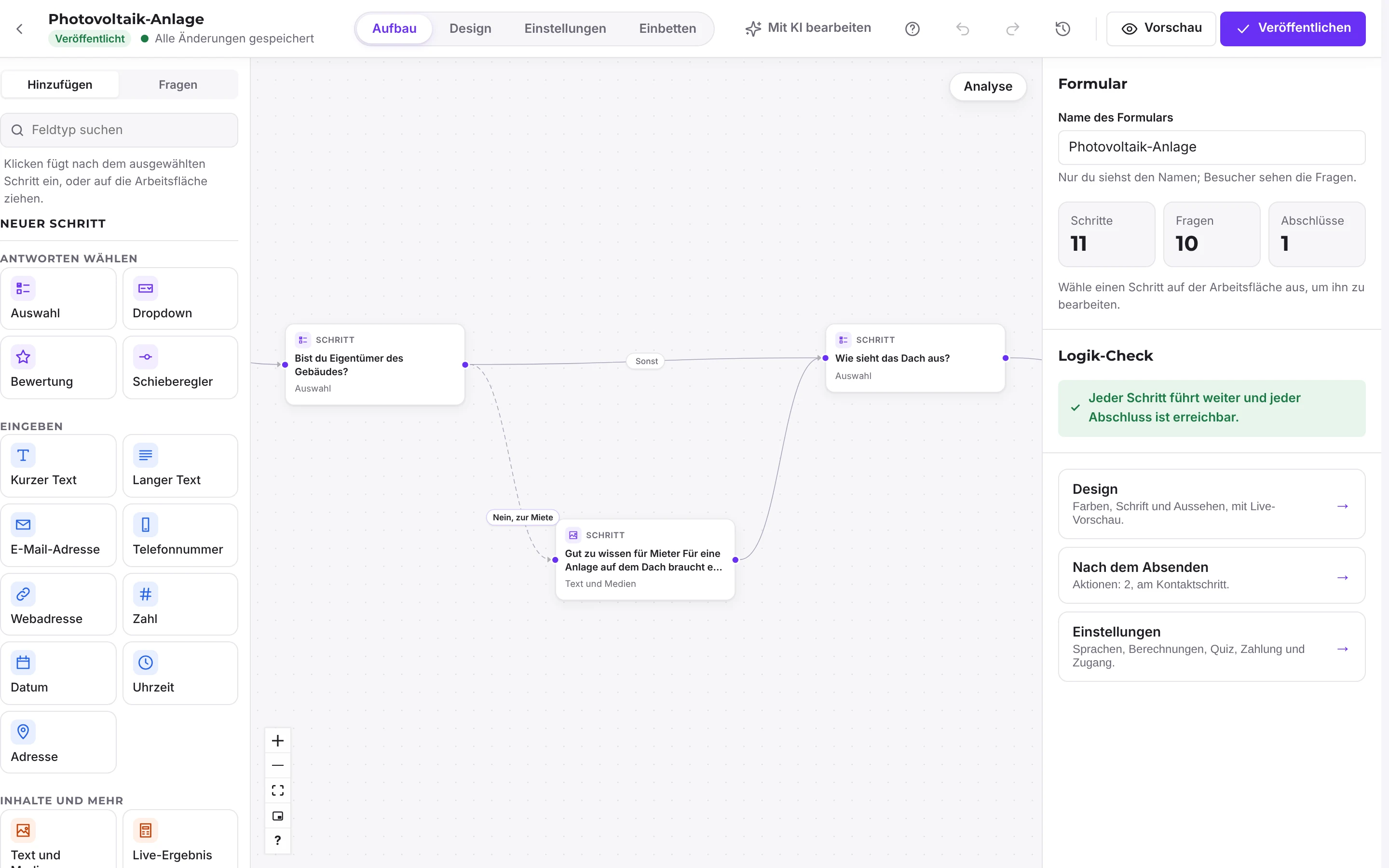
Start from a template or from scratch. On the canvas every step is a card. You add questions on the left and set them up on the right. For a contact form, a choice question about the topic, a question about the scope and a final contact step with name, email and consent are usually enough.
3. Add it to your page
Insert the form as a block in the block editor, as an Elementor widget or with the shortcode [funnelforms uid="…"]. Every form also gets its own address that you can link in ads and emails.
4. Make sure it arrives and improve it
In the "After submit" tab of the contact step you set up the email to you and the confirmation to the visitor. "Check that emails arrive" sends a test email the same way. Statistics then show you for each step how many visitors move on and where they drop off.
When Pro is worth it
Free has no limits on forms, steps or entries. You need Pro as soon as the form should calculate, book appointments, take payments or pass enquiries to your CRM. The lead board with status and tags, A/B tests and reminders to visitors who leave without submitting are also part of Pro.
What exactly is in which edition is listed on Pricing and Features.
Frequently asked questions
Do I need to know how to code?
No. You build the form on the canvas and insert it as a block, an Elementor widget or a shortcode. Custom CSS and JavaScript are possible but not required.
Where do the enquiries go?
Into your WordPress database under Entries and, if you like, to you by email. Funnelforms Free sends nothing to Funnelforms.
Can I bring over an existing form?
Yes. Forms from WPForms, Gravity Forms, Ninja Forms, Fluent Forms, Contact Form 7, Formidable and Elementor Pro come over as drafts. Logic, payments and entries are not carried over.